
MCP server for Claude Code · v0.6.1 · AGPL-3.0
Use your Claude subscription to run pentests. No API key needed.
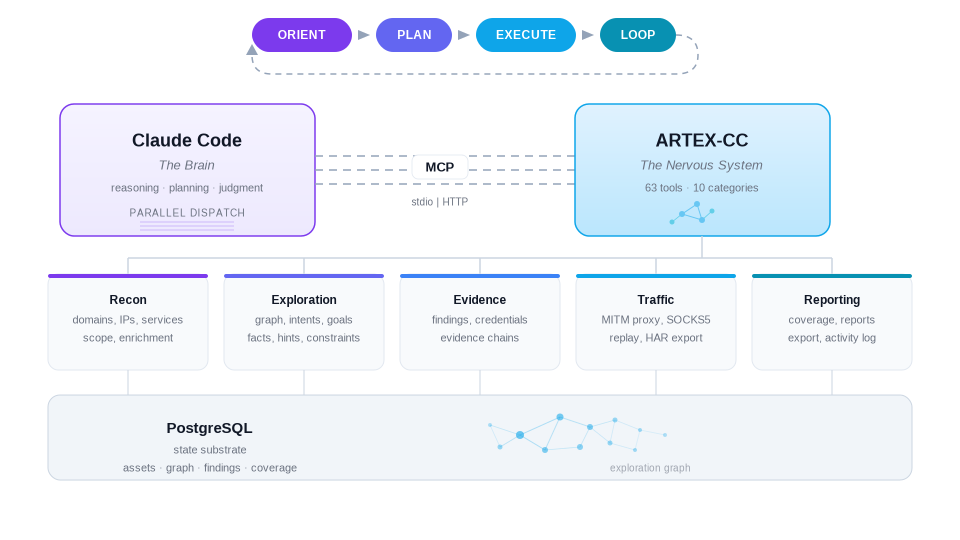
ARTEX-CC gives Claude Code an asset graph, exploration tracking, findings, coverage, traffic capture and reporting as 63 MCP tools. Claude decides what to test. ARTEX keeps the record of what was tested, what was found, and what is left.
brew install --cask sresarehumantoo/tap/artex-ccYou bring the brain. ARTEX brings the hands.
Upstream ARTEX ships its own LLM agent loop, which needs an API key and a token budget. If you already pay for Claude, that is a second brain doing the same job. ARTEX-CC removes the loop and exposes the data layer as MCP tools, so Claude Code becomes the agent.
- 01
No API cost
Your Claude subscription covers it. No API key, no token counting, no surprise bills. ARTEX has no LLM client of its own.
- 02
Claude's full reasoning
Not a constrained agent loop: Claude Code drives the engagement with its whole context window, tool use and subagents.
- 03
Your judgment in the loop
Claude proposes, you approve. The exploration graph lets you review the plan, steer it with hints, and resume hours later.
What a session looks like
You ask for a pentest. Claude picks the tools. Every call lands in the exploration graph, so Claude always knows where it has been, what it found, and what it planned next.
Stop for the night and the graph is still there. The next session starts with graph_overview and picks up where the last one left off.
- orientgraph_overview
- set_goals
- reconinsert_assets (domain: example.com)
- add_intent (enumerate subdomains)
- record_fact (found: api.example.com)
- insert_assets (subdomain: api.example.com, service: https/443)
- planadd_intent (test api.example.com for auth bypass)
- testtraffic_hosts
- traffic_search (host: api.example.com)
- traffic_get (inspect the auth request)
- traffic_replay (replay with modified auth header)
- recordrecord_coverage (api /admin, idor, no_issue_found)
- report_finding (severity: high, broken access control on /api/v2/users)
- proveprove_goal (evidence: finding #1)
- generate_report
Eval
HTB Forest, fully blind
ARTEX and Claude Opus 5.5 against Forest, a classic Active Directory box. No web searches, no writeups, no hints. The agent also worked around two tooling failures on its own: PowerView under non-interactive WinRM and the OpenSSL 3 MD4 deprecation.
- Flags
- 2 / 2
- Wall clock
- ~8 min
- Web lookups
- 0
- Target
- AD DC
- Reconnmap found a Windows Server 2016 DC for htb.local. An RPC null session leaked the full user list.
- Footholdsvc-alfresco had Kerberos pre-auth disabled. AS-REP roast, cracked with hashcat, WinRM in, user.txt.
- Domain AdminAccount Operators to a new user in Exchange Windows Permissions, WriteDACL, DCSync, pass-the-hash, root.txt.
- CleanupRestored the domain DACL, deleted the created user, removed uploaded scripts.
Watch it work
serve --web adds a dashboard on the MCP port. Everything Claude records shows up live.
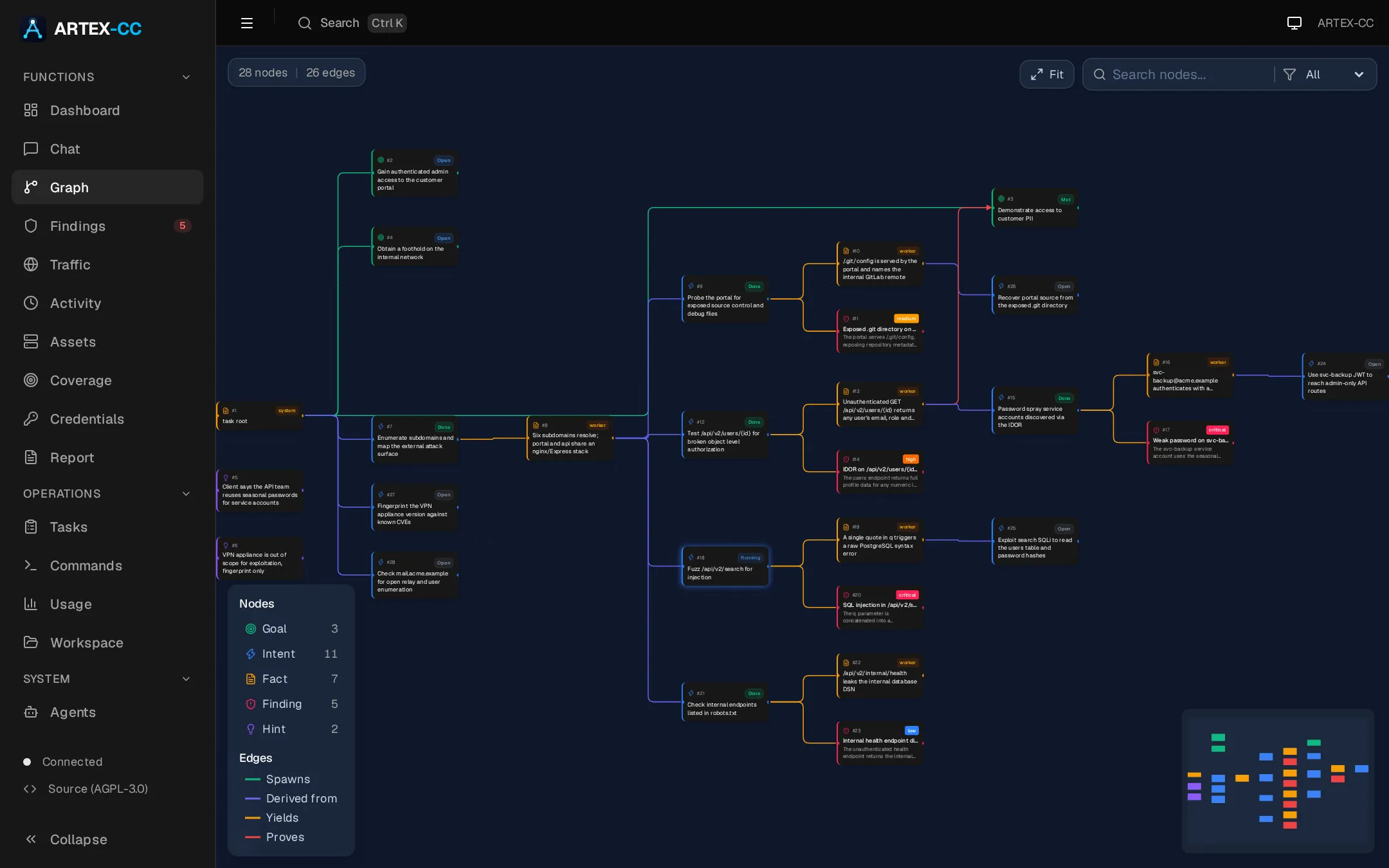
Exploration graph 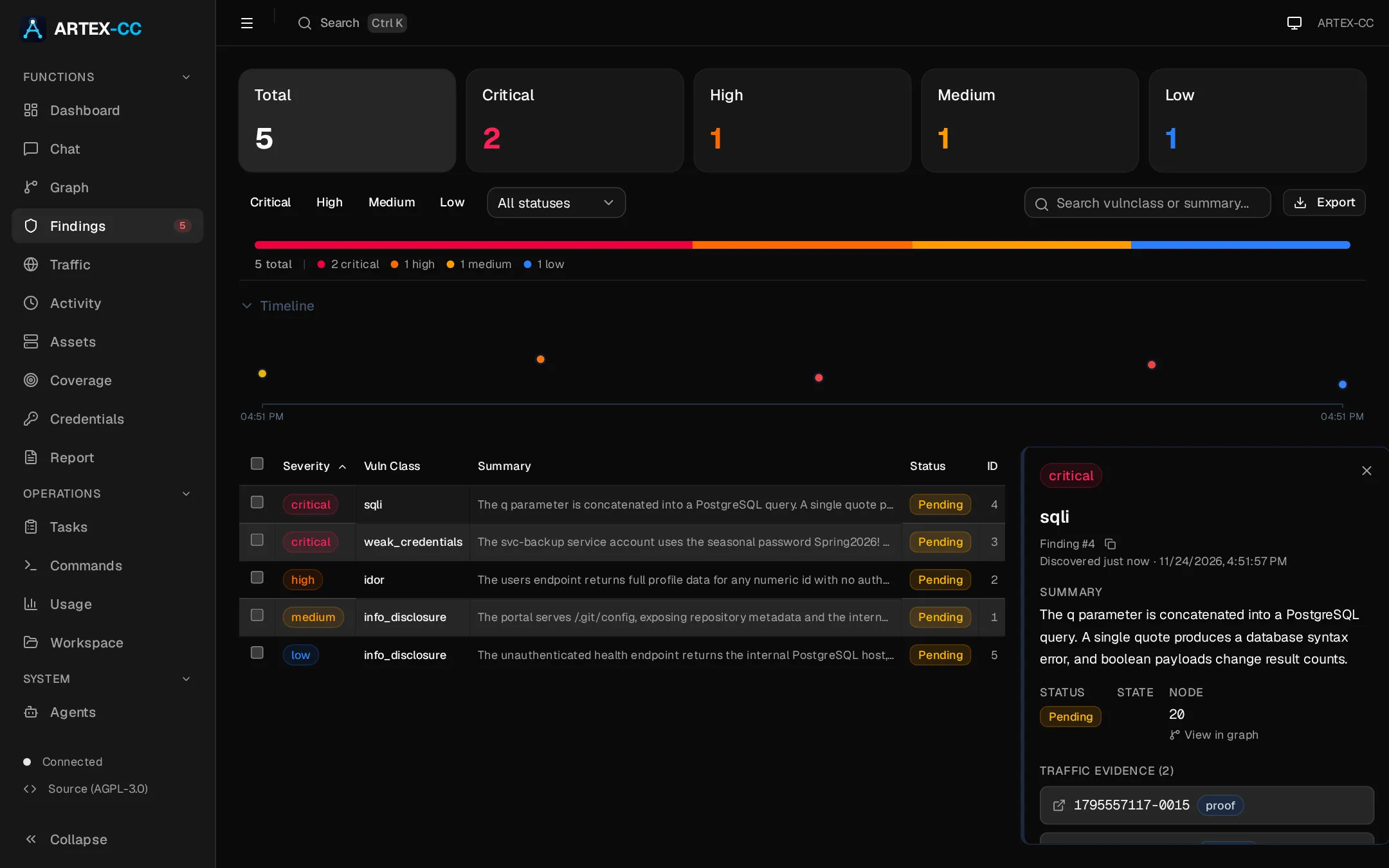
Findings with bound traffic 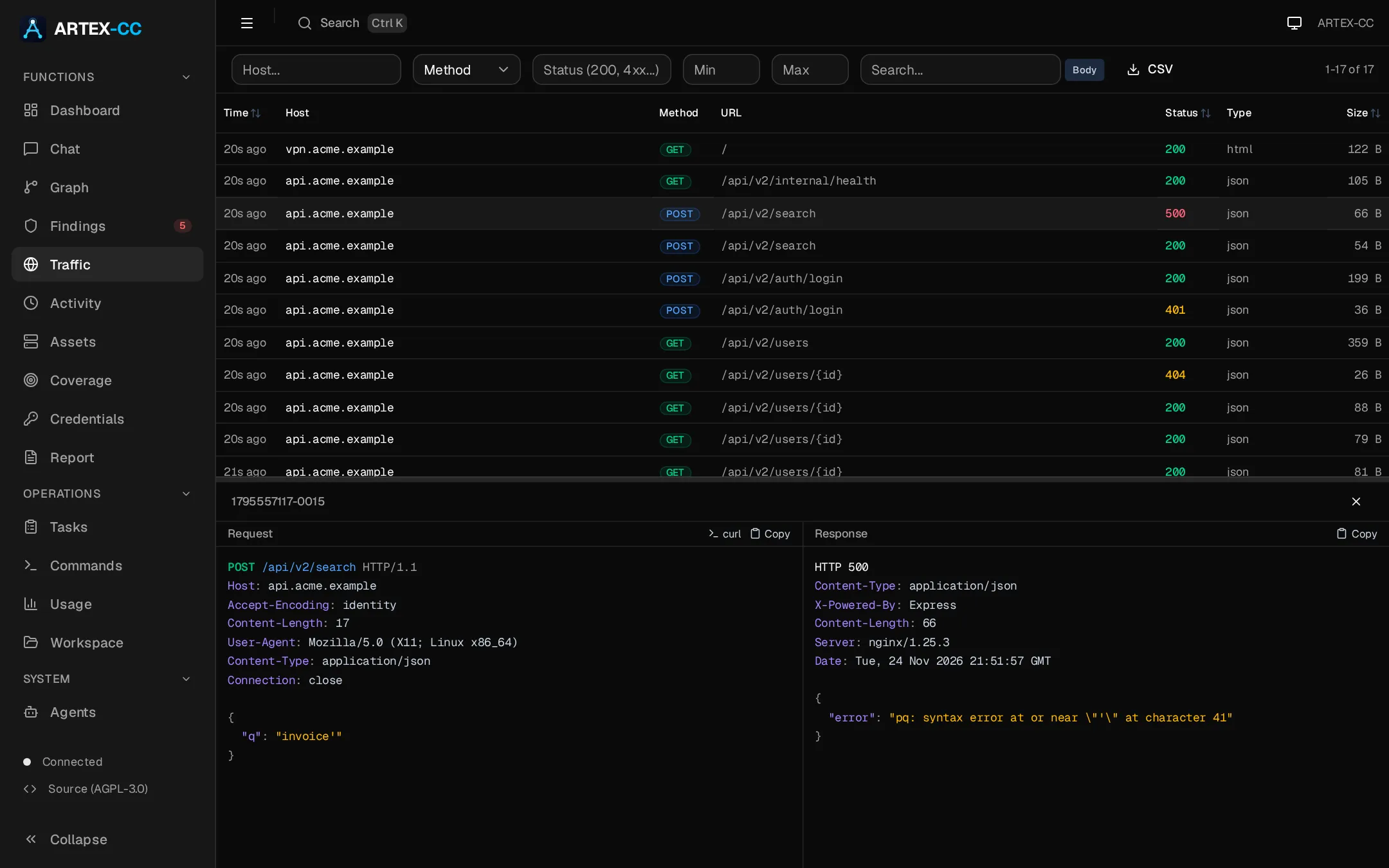
Recording proxy 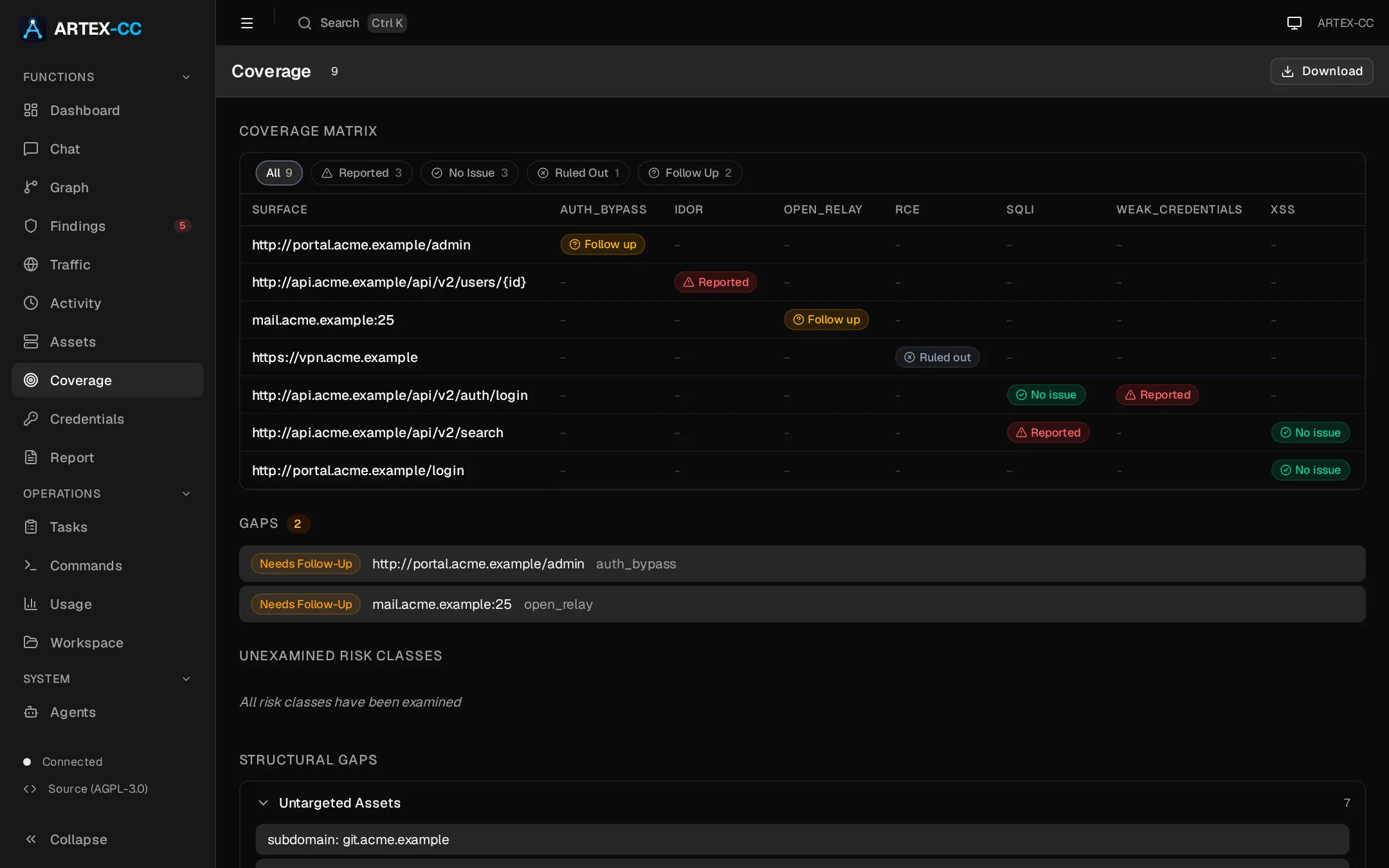
Coverage matrix 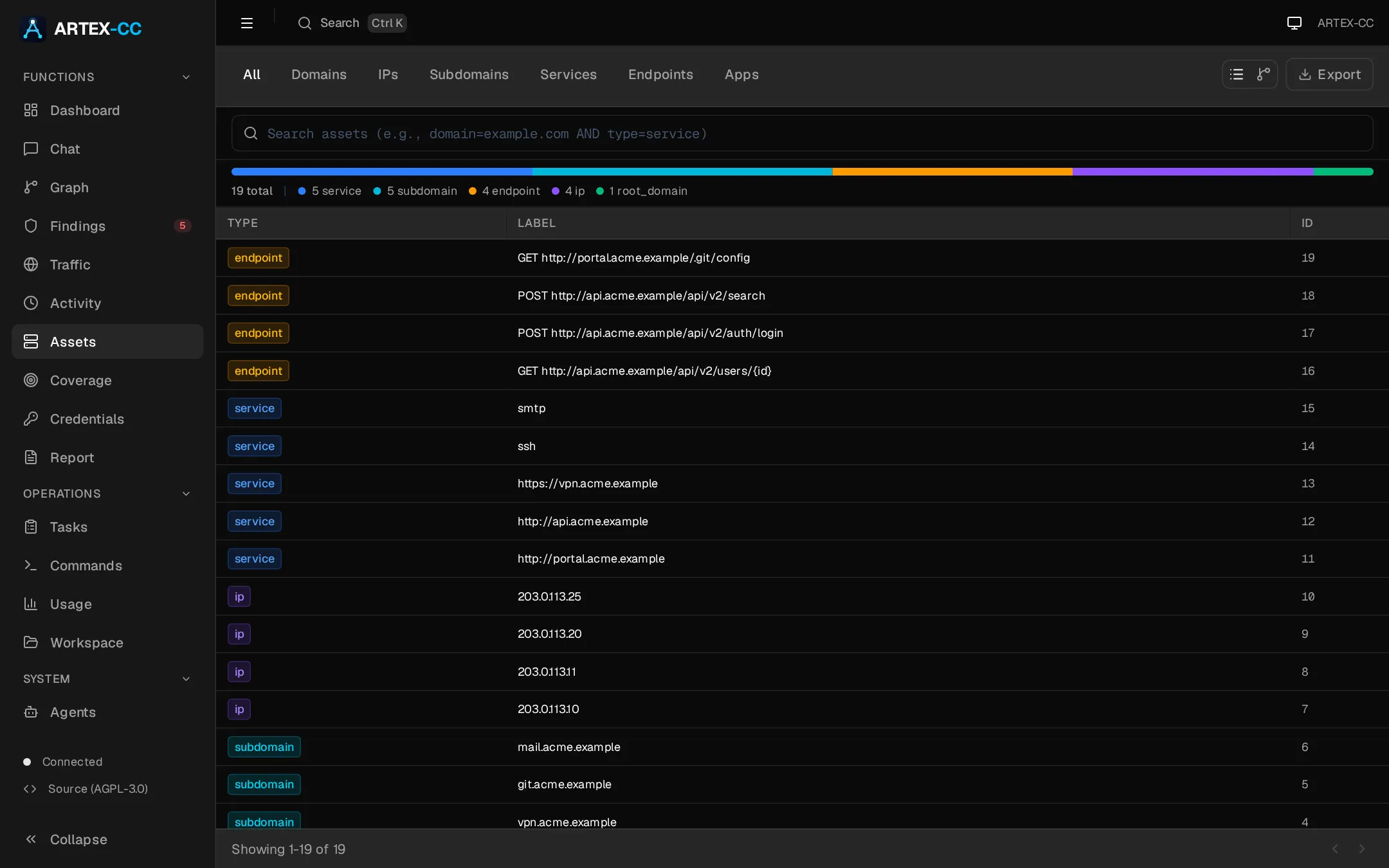
Assets 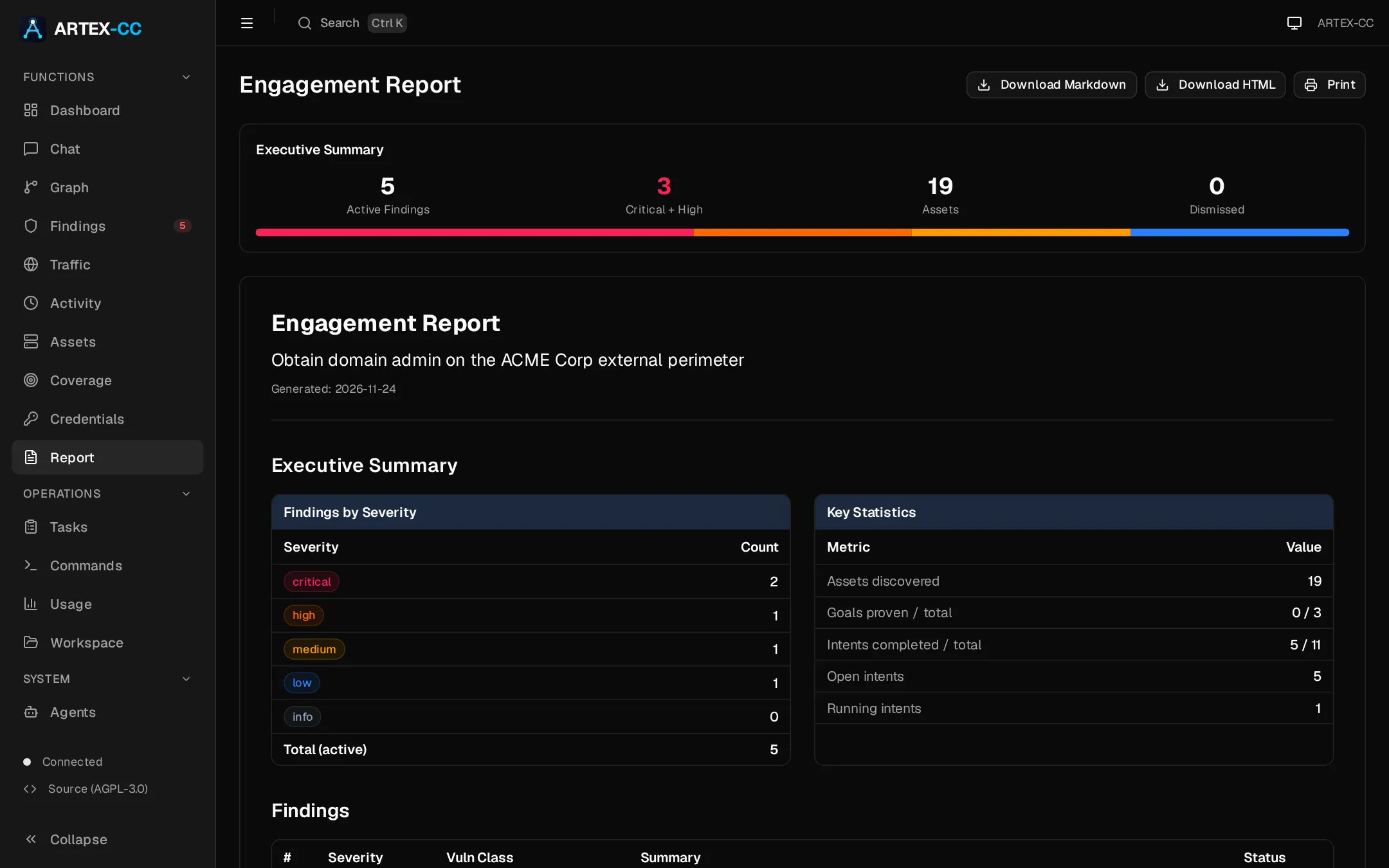
Engagement report
Screenshots use a seeded demo engagement against reserved *.example names and documentation IP ranges.
Install
macOS and Linux (Homebrew 7.0.11 or later).
brew install --cask sresarehumantoo/tap/artex-ccPostgreSQL and ARTEX together, web UI on :9400, recording proxy on :8788.
git clone https://github.com/SREsAreHumanToo/ARTEX-CC.gitcd ARTEX-CCdocker compose upLinux, macOS and Windows archives with checksums, on every release.
Download the latest releaseRequires Go 1.26 or later.
go install github.com/SREsAreHumanToo/ARTEX-CC/cmd/artex-cc@latestThen create an engagement, add the printed MCP config to Claude Code, and ask it to start.
createdb ccartexartex init --pg "postgres://localhost/ccartex" --goal "Pentest example.com"